Jev in an agentic harness: where it fits in an agent loop
Jev is not an agent and does not run its own loop; TypeSafe describes it as a model for AI-powered software where code stays in control (How to build with TypeSafe). In an agent harness, Jev handles the decision points, such as which action, skill or tool comes next and whether a step worked, while an LLM writes any text and your code runs and gates each step.
Where Jev sits in an agent harness
A harness is the code around a model that runs the loop: it observes, picks an action, executes it and checks the result. TypeSafe is direct about Jev's role: "System One is TypeSafe's model for building AI-powered software, not agents. It does not generate code or choose its own next action" (How to build with TypeSafe).
In practice, the harness builds the list of possible actions and asks Jev to choose among them. Jev's answer is a probability over the options you supplied, never a new action it made up. The harness then executes, logs and decides what happens next. Anything that needs generated text, such as filling a form field or writing a reply, goes to an LLM. The agents and browsers projects mostly follow this split.
Why Jev fits the decision points
- No invented actions. Every output is limited to the supplied options, so the model returns a full probability distribution "rather than inventing a value outside the schema" (How to build with TypeSafe).
- Knowing when to stop. Choice and Score answers include confidence, so the harness can decide when to act and when to escalate to a person or a reasoning model (System One).
- Parallel checks. All questions in a request run in parallel against the same state, so a step can ask "which action?" and "is this safe?" in one call (Introduction).
TypeSafe's launch post frames the stakes: a hallucinated tool call "is inconvenient in an agent, but is an absolute deal-breaker if it’s part of a system with latency guarantees" (launch post). What is Jev? covers the model itself.
Documented pattern: typed function calling
TypeSafe's function calling cookbook turns a plain-English request into a call to ordinary typed functions. An argument that takes one value from a fixed list becomes a Choice question, a separate yes/no question checks whether the user mentioned that argument at all, and one more Choice picks the function. For ten trading functions, that made 54 questions per command in a single request (Function calling). A sample result from the cookbook:
"plot rolling correlation between nvda and spy for the past month"
    rolling_correlation(symbol='NVDA', benchmark='SPY', window='1mo')   confidence 0.91
The call's confidence is the least certain judgment behind it, not the product of all of them, "since one wrong argument is enough to spoil the result." Arguments that are free text, numbers or dates get no question and keep their defaults (Function calling).
Documented pattern: choosing a skill for each turn
The skill suggestion cookbook targets a common harness problem: agents with large skill rosters see only truncated descriptions and often load the wrong skill. Using the 182 skills of the Hermes agent harness, one Jev request ranks every skill and asks whether the turn needs one at all, and a second re-reads the top three in full and may reject them all. The winner is added as one line to the system prompt (Skill suggestion).
| Over 488 requests | Loads the wrong skill | Loads one when nothing fits |
|---|---|---|
| Agent alone | 16.8% | 9.8% |
| Agent with a TypeSafe suggestion | 7.3% | 4.0% |
The agent in that test was claude-haiku-4-5-20251001. For more on this job, see routing and model choice.
Gate risky steps on confidence
TypeSafe's confidence-gated routing example sets one floor for every action and a higher bar for risky ones. Below 0.6 confidence the request goes to a person. A balance check runs at 0.6, approving a transfer automatically needs more than 0.85, and a transfer between 0.6 and 0.85 asks the user to confirm (Confidence-gated routing). The same logic works for agent steps: reading a page can run on a lower bar than deleting a file. For screening what goes into and out of the LLM in the loop, TypeSafe also has a guardrails cookbook (Guardrails for LLMs); see safety and guardrails.
Projects doing this
 Agents & browsersJev UltrafastBrowser Use's fast web agent, where Jev picks the operation and page element in one request and a small LLM writes text only when typing is needed.GitHub · ★ 20k · browser-use
 Agents & browsersComputer UseAn experimental macOS computer-use loop that reads the screen with OCR and asks Jev to pick the next click, scroll or text entry.GitHub · ★ 955 · awlevin
 Context & memoryForemanAn experimental Python supervisor that uses Jev to assess a running Codex worker and deterministic policy to steer, stop, retry, verify or finish the job.GitHub · ★ 554 · thruwire
 Routing & model choicehermes-jev-skillsAgent skills and a jev CLI that use Jev for model routing, memory filtering, compaction, skill selection and computer or browser actions on Hermes, Claude Code and Codex.GitHub · ★ 726 · kerpopule
 Agents & browsersmobile-jevA standalone Android agent for Mobilerun where Jev makes every decision, with a live React studio.GitHub · ★ 380 · droidrun
 Agents & browsersJevHarnessLLM-authored, task-specific Jev harnesses with optional reward reflection over the full trajectory.GitHub · ★ 191 · TianyuCodings
 Routing & model choicejev-dsh-decisionA structured decision plugin for agent harnesses, built on Jev, with native DeepSeek Harness support.GitHub · ★ 163 · Devin-AXIS
 Agents & browsersjev-browser (Ying-Kai-Liao)A JavaScript browser library, CLI and MCP server where the calling agent sets the goal and Jev selects actions from structured page observations.GitHub · ★ 82 · Ying-Kai-Liao
 Coding & code reviewjev-useA Claude Code, Codex and pi plugin that hands agent steps needing no text output to Jev and escalates the rest back to the LLM.GitHub · ★ 25 · shitianfang
 SDKs & integrationssuper-jevA small TypeScript harness that turns evidence into typed Jev judgments, permitted actions and verified outcomes, with local JSONL traces.GitHub · ★ 11 · Kevthetech143
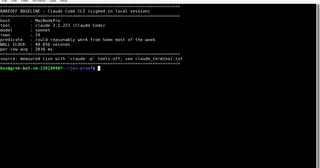 Routing & model choicejev-harnessA TypeScript decision harness that maps Jev answers to actions through a policy, a confidence gate and an optional shadow mode.GitHub · ★ 14 · AntonioCoppe
 Routing & model choicejev-layerA portable decision layer for agent harnesses with host-owned routing over candidate capabilities, receipts and replay, and fail-open integrations.GitHub · ★ 2 · typakon4
Questions
Can Jev run an agent by itself?
No. Jev does not generate text or choose its own next action. A harness supplies the options, Jev picks among them with probabilities, and code executes the step.
What does Jev do in an agent harness?
It answers the narrow decisions in the loop: which action, skill or tool comes next, whether a step succeeded, or whether a command is safe. An LLM still writes any text the task needs.
How does a harness avoid acting on a bad Jev answer?
By gating on confidence. TypeSafe's examples send low-confidence answers to a person and set higher thresholds for riskier actions.
Is there an official TypeSafe agent harness?
TypeSafe's docs describe patterns and cookbooks, such as function calling and skill suggestion, rather than an official harness. The harnesses listed here are community projects.
Does Jev work with images or screenshots in computer-use agents?
Jev accepts text only. Computer-use projects convert the screen to text first, for example with OCR or accessibility data, and then ask Jev to choose the action.
More guides: What is Jev?Jev pricing and API costJev vs LLMs: when to use whichHow to use Jev: a quickstartJev and MCP: using Jev as a Model Context Protocol toolHow to use Jev with Claude CodeJev for orchestration: routing requests, models and skillsJev as a judge: evaluating LLM and agent outputsJev for SEO and GEOJev for ads and ad reviewJev for marketing and lead scoringIs there an open source Jev?Can you fine-tune Jev?Designing questions for JevWhat is RLCD?Jev statistics